> ## Documentation Index
> Fetch the complete documentation index at: https://docs.slai.io/llms.txt
> Use this file to discover all available pages before exploring further.

# Deployments

> Your model can be deployed as a real-time API. Slai includes client libraries for cURL, Python, and Node, allowing you to call the deployed model from your own codebase. 

## Starting a deployment

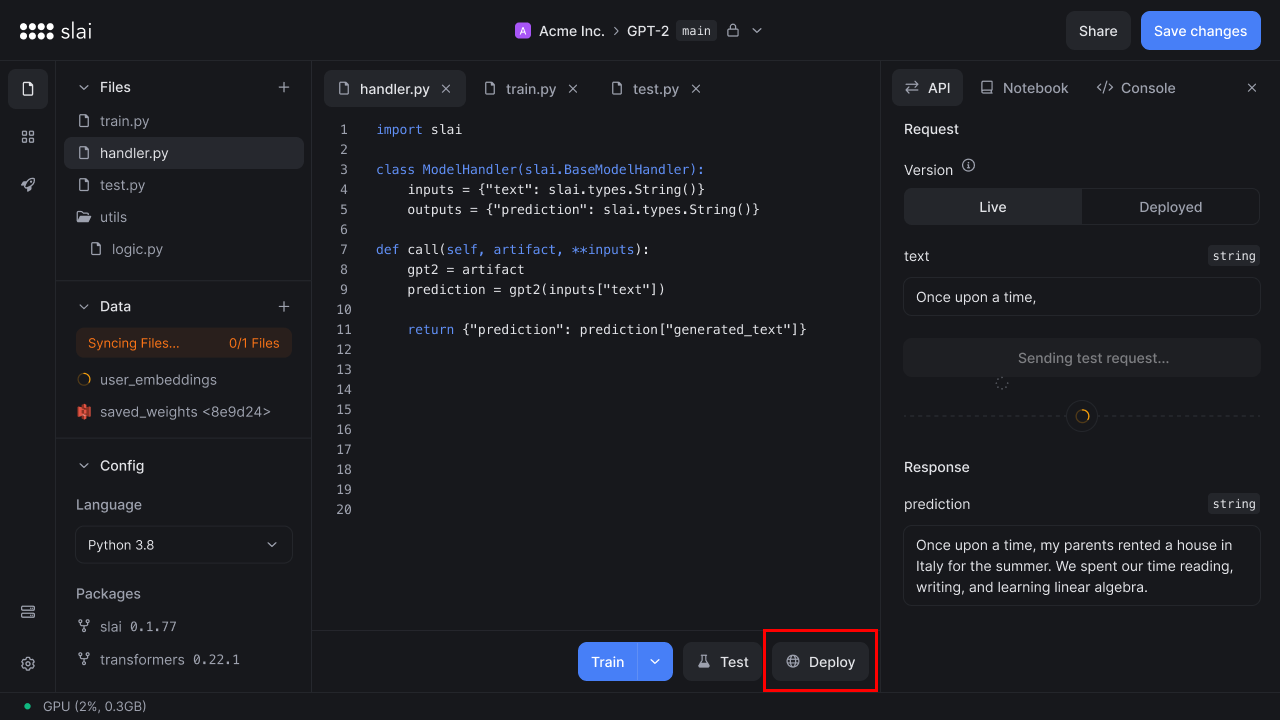
To deploy a model, click the **Deploy** button in your sandbox.

<img src="https://mintcdn.com/slai-docs/x8Ejwqb1sXwT0acS/img/sandbox/deployments/deploy.png?fit=max&auto=format&n=x8Ejwqb1sXwT0acS&q=85&s=310d49e6a331bea84dd50b2247b2e31d" alt="Deploy button" width="1280" height="720" data-path="img/sandbox/deployments/deploy.png" />

## Configuring a deployment

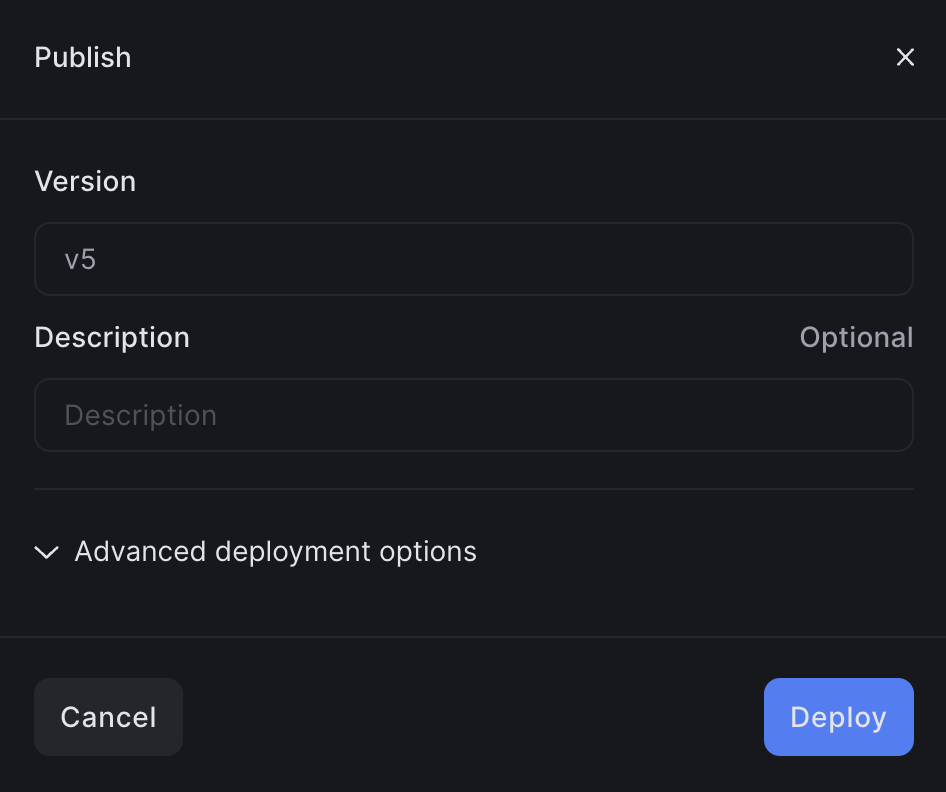
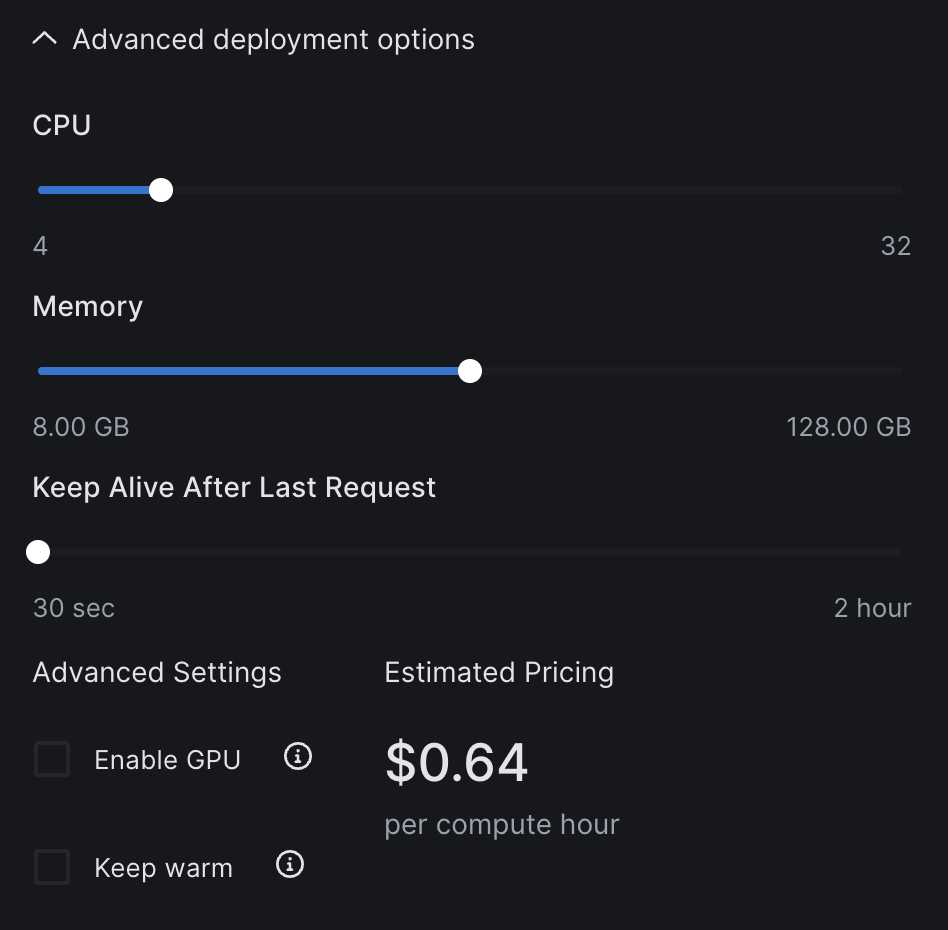
A modal will appear, showing the deployment version. You'll have the option to configure your deployment by clicking **Advanced deployment options**.

[You can find more information on using advanced deployment options here.](/user-guides/advanced-deployment-options)

<div class="sm:flex sm:justify-center space-x-4">
  <div class="flex items-center flex-col">
    <img class="h-80" src="https://mintcdn.com/slai-docs/0GTBstnyDK-8Z9OV/img/sandbox/deployments/deploy-model.png?fit=max&auto=format&n=0GTBstnyDK-8Z9OV&q=85&s=d3df5da5ef9ab887c05f148927fb576f" width="946" height="792" data-path="img/sandbox/deployments/deploy-model.png" />

    <p class="not-prose mt-0 text-sm text-slate-600 dark:text-slate-400">
      This modal appears after clicking Deploy
    </p>
  </div>

  <div class="flex items-center flex-col">
    <img class="h-80" src="https://mintcdn.com/slai-docs/x8Ejwqb1sXwT0acS/img/sandbox/deployments/deployment-settings.png?fit=max&auto=format&n=x8Ejwqb1sXwT0acS&q=85&s=9c1f455558a650e7c3905d217b140ba6" width="948" height="930" data-path="img/sandbox/deployments/deployment-settings.png" />

    <p class="not-prose mt-0 text-sm text-slate-600 dark:text-slate-400">
      Configure various deployment settings, if you wish
    </p>
  </div>
</div>

Clicking **Deploy** will package and deploy your application to the Slai backend.

## Monitoring a deployment

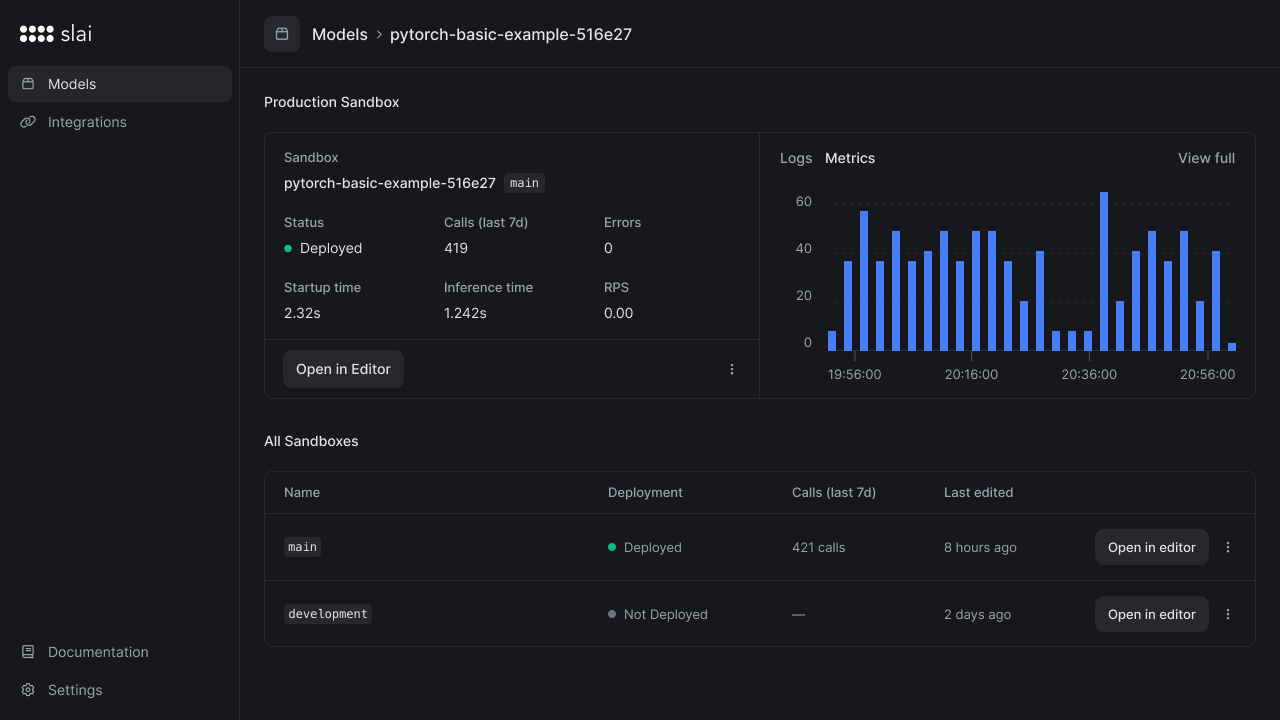
After deploying, you'll be redirected to a dashboard to monitor the status of the deployment.

On the monitoring page, you can view APM-style metrics:

* Total API calls
* Total errors
* Average inference time
* Average cold start time
* Requests per second
* Logs on the container

<img src="https://mintcdn.com/slai-docs/x8Ejwqb1sXwT0acS/img/sandbox/deployments/monitor-deployment.png?fit=max&auto=format&n=x8Ejwqb1sXwT0acS&q=85&s=011400c9be6e51405abc1c992d0f3cac" alt="Monitor the deployment" width="1280" height="720" data-path="img/sandbox/deployments/monitor-deployment.png" />

## Container Logs

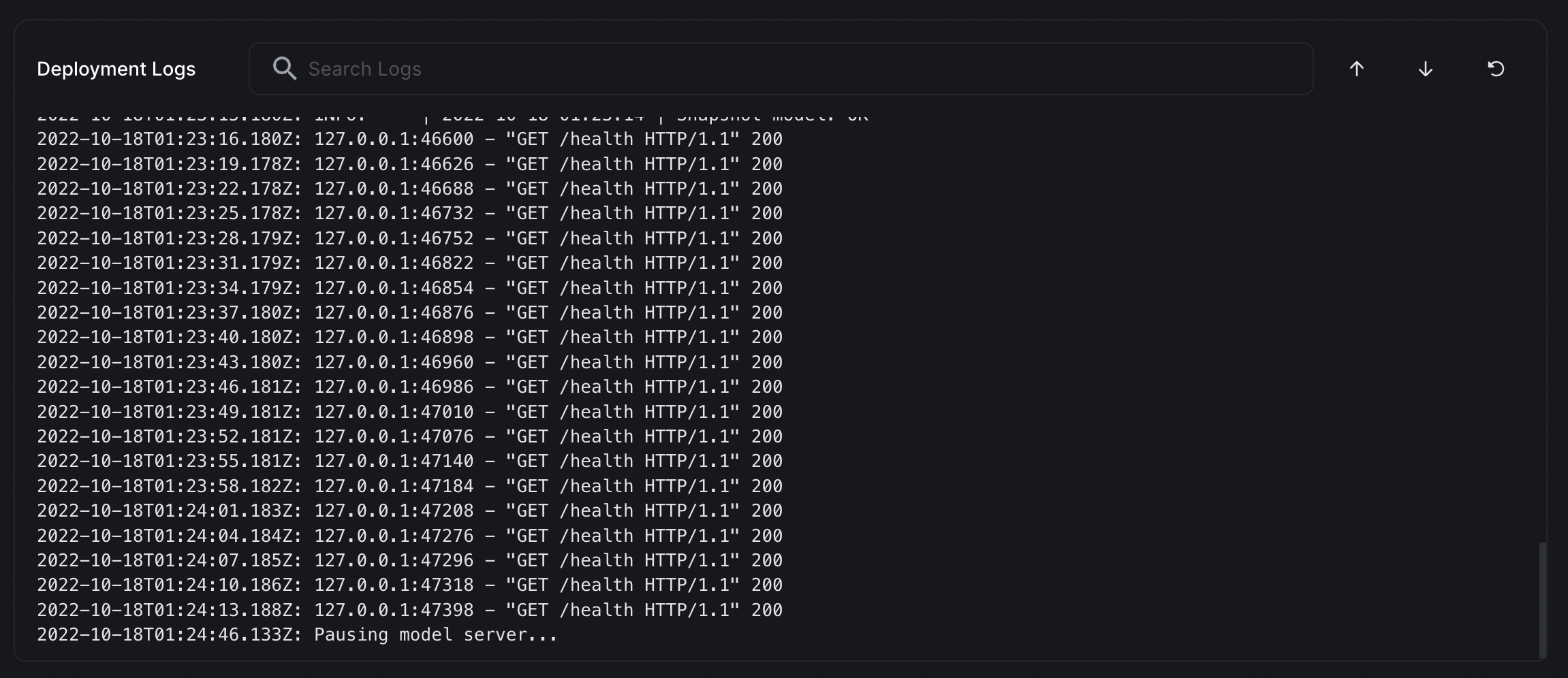
You can view all console output on your deployed container by scrolling down the page to the **Deployment Logs** section.
<img src="https://mintcdn.com/slai-docs/x8Ejwqb1sXwT0acS/img/sandbox/deployments/logs.png?fit=max&auto=format&n=x8Ejwqb1sXwT0acS&q=85&s=44d56a9a7a21003bd8f73890ee6c449b" alt="Monitor the deployment" width="2302" height="996" data-path="img/sandbox/deployments/logs.png" />

## Calling the API

Once the model is deployed, it can be called via our cURL, Python, or Node client. Your `client_id`, `client_secret`, and model name will be filled in dynamically.

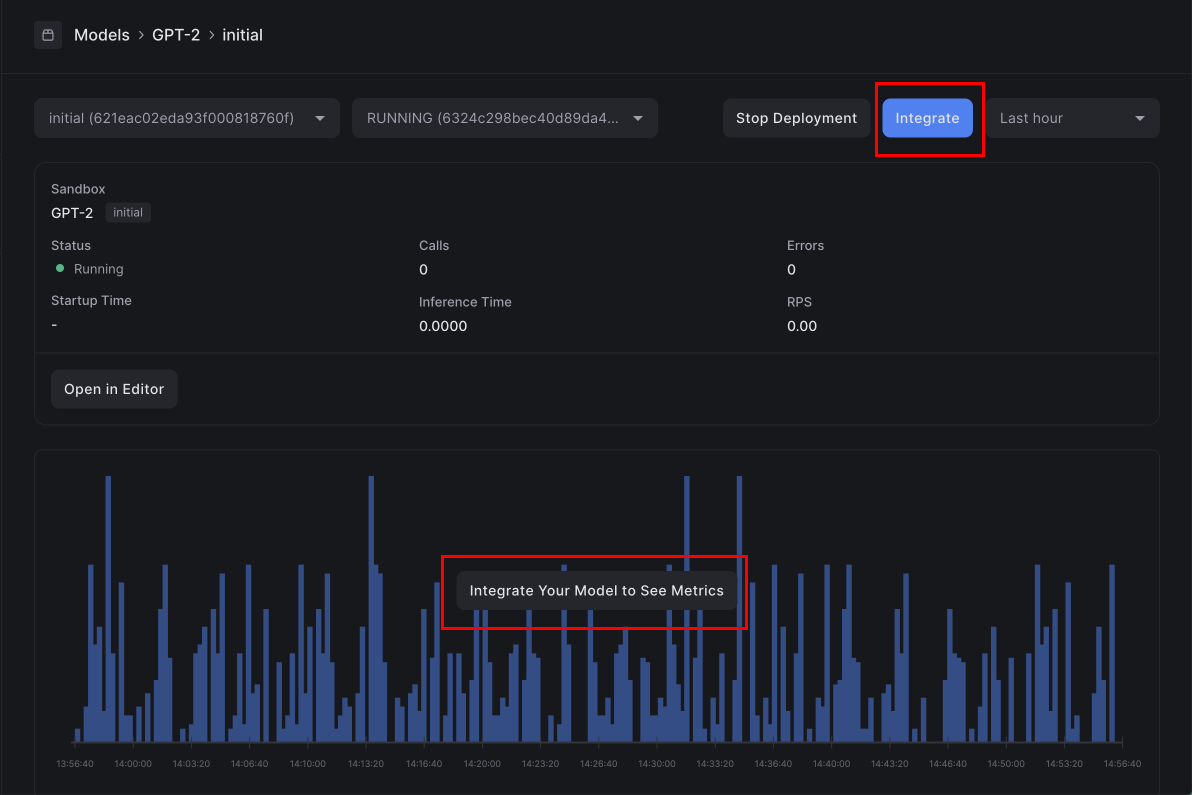
Click the **Integrate** button to copy the integration code in any of our three client libraries.
<img src="https://mintcdn.com/slai-docs/x8Ejwqb1sXwT0acS/img/sandbox/deployments/integrate.png?fit=max&auto=format&n=x8Ejwqb1sXwT0acS&q=85&s=b761fb00ef438e408d68385b656b2e81" alt="Integrate" width="1192" height="795" data-path="img/sandbox/deployments/integrate.png" />

Just copy and paste this into your shell, and you can start running inference.

<CodeGroup>
  ```python Python theme={null}
  # Example usage of model API

  import slai

  slai.login(
  client_id="c3cf0b3d30f03579f9d8e7b416ce81a3",
  client_secret="51b42996f59d795f12c80c45ac4f4ffe"
  )

  model = slai.model("GPT-2/initial")

  # This is just an example of how to call your model

  # Parameters vary based on your handler inputs

  prediction = model(text="Once upon a time I was reading the docs")

  ```

  ```bash cURL theme={null}
  curl -X POST --compressed "https://models.slai.io/mucgs/predict" \
     -H 'Accept: */*' \
     -H 'Accept-Encoding: gzip, deflate' \
     -H 'Authorization: Basic YzNjZjBiM2QzMGYwMzU3OWY5ZDhlN2I0MTZjZTgxYTM6NTFiNDI5OTZmNTlkNzk1ZjEyYzgwYzQ1YWM0ZjRmZmU=' \
     -H 'Connection: keep-alive' \
     -H 'Content-Type: application/json' \
     -d '{"text": "Once upon a time I was reading the docs"}'
  ```
</CodeGroup>