> ## Documentation Index
> Fetch the complete documentation index at: https://docs.slai.io/llms.txt
> Use this file to discover all available pages before exploring further.
# Dependencies
> How to add dependencies to your environment
There are four ways to add dependencies to your project:
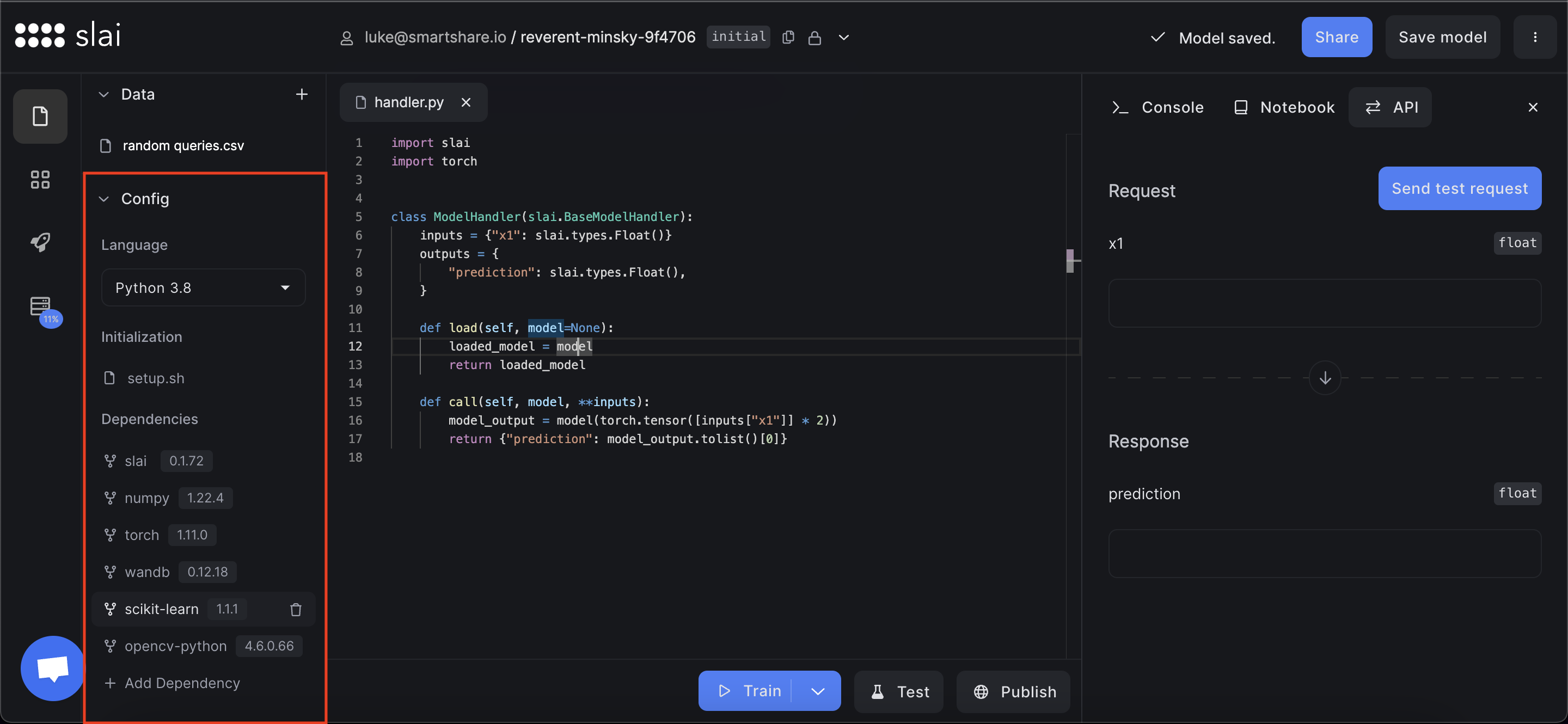
1. Installing packages one-by-one, for example `tensorflow==2.10.0` (**most common**)
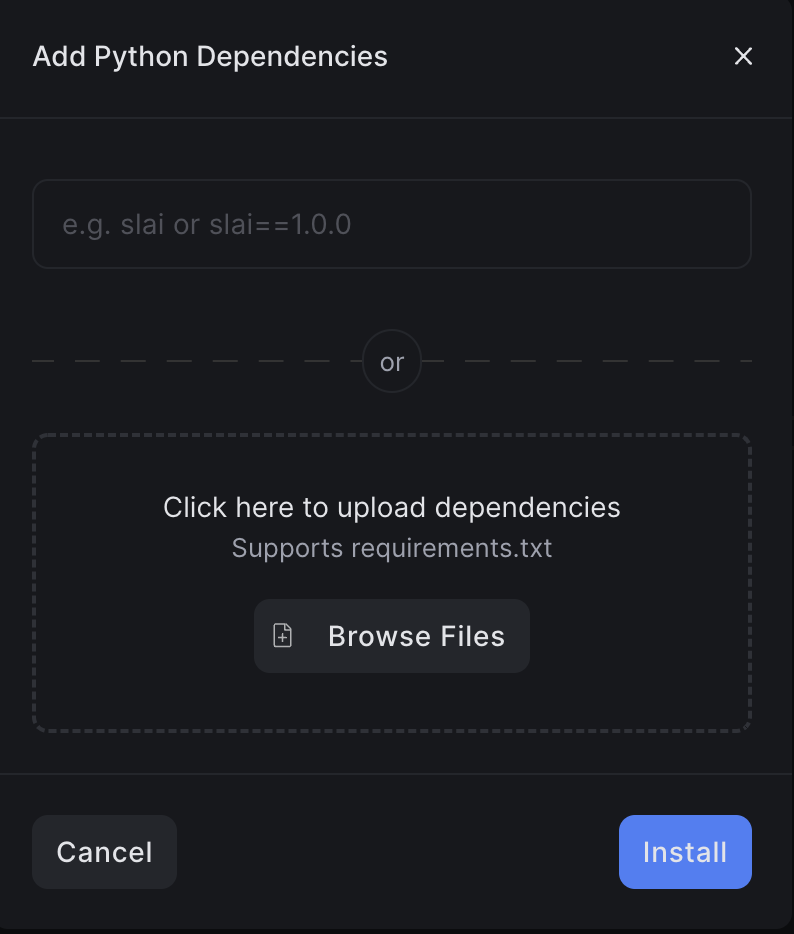
2. Installing packages in bulk from a `requirements.txt`
3. Importing a Github Repo in your sandbox
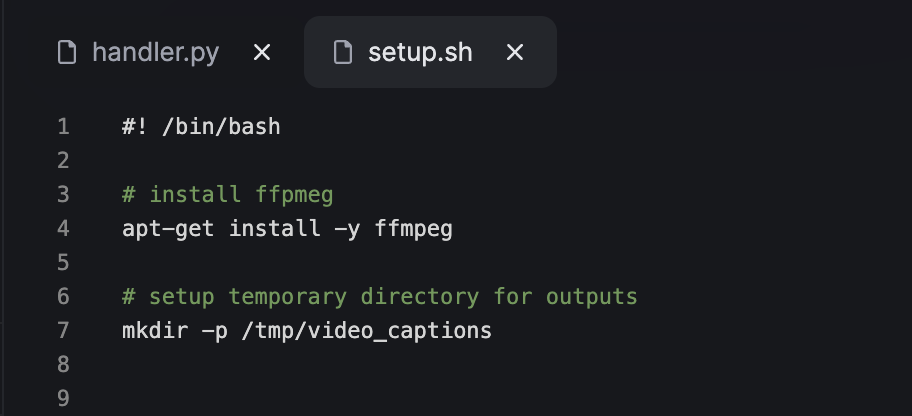
4. Downloading a package in `setup.sh`
We'll walk through each of these scenarios below.
## Installing Public Python Dependencies
To install packages, click the "Add Dependency" button at the bottom of the page. You can either enter the Python package name to install, or you can upload an existing `requirements.txt` file:
 ## Installing Dependencies from Github
You may want to install dependencies from a Github repo. To do so, you can use our Github Integration to import your repo as a submodule dependency in the sandbox.
### Connect your Github account to Slai
First, you'll need to connect your Github to Slai. You can do that on the **Integrations** page.
### Importing a repo into a sandbox
After connecting your Github account to Slai, you can import repos directly into a sandbox.
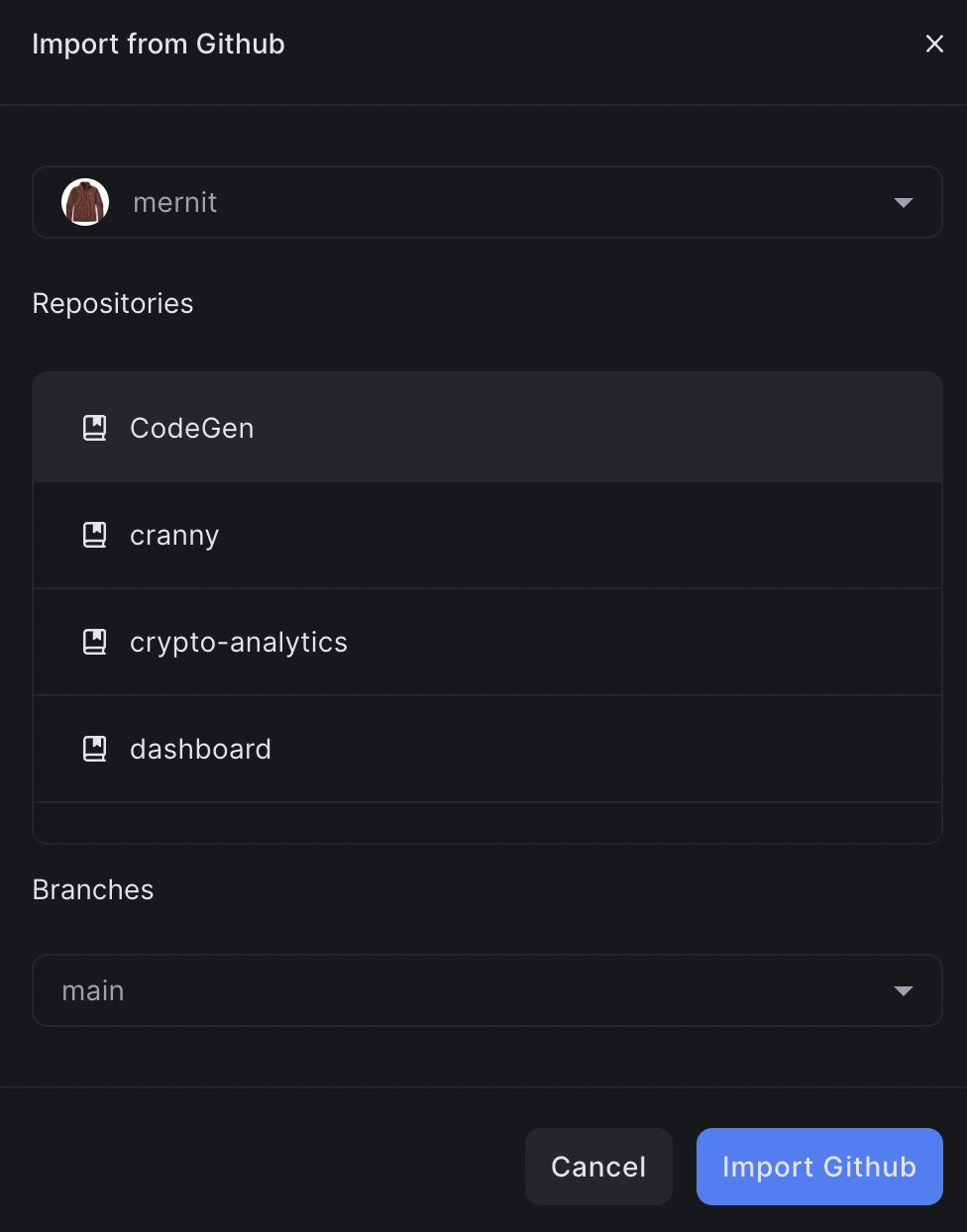
Click the **+ Add File** icon in the files section, and select **Import from Github**. You can also enter the URL of any Github repo you have read access to.
## Installing Dependencies from Github
You may want to install dependencies from a Github repo. To do so, you can use our Github Integration to import your repo as a submodule dependency in the sandbox.
### Connect your Github account to Slai
First, you'll need to connect your Github to Slai. You can do that on the **Integrations** page.
### Importing a repo into a sandbox
After connecting your Github account to Slai, you can import repos directly into a sandbox.
Click the **+ Add File** icon in the files section, and select **Import from Github**. You can also enter the URL of any Github repo you have read access to.
 You'll be prompted to select from a list of repos in your account.
 ### Using imported repos in your projects
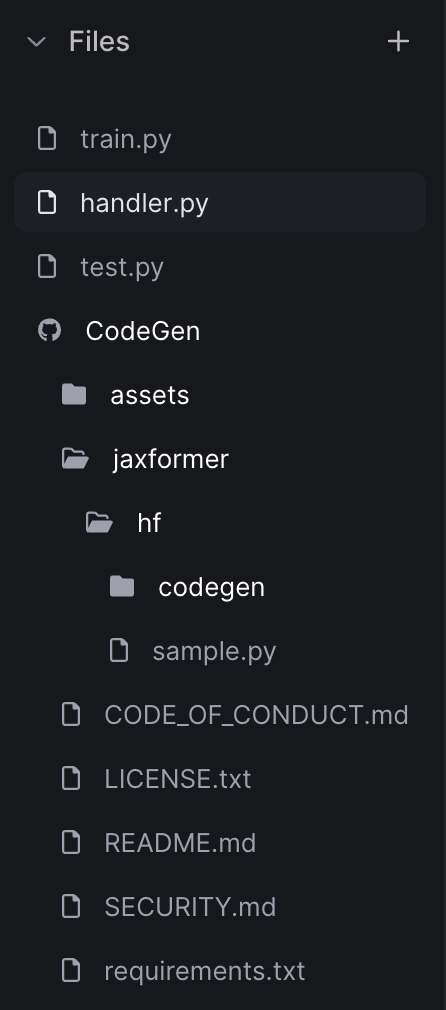
After importing a repo, you'll see all the files in the repo added to the file tree.
### Using imported repos in your projects
After importing a repo, you'll see all the files in the repo added to the file tree.
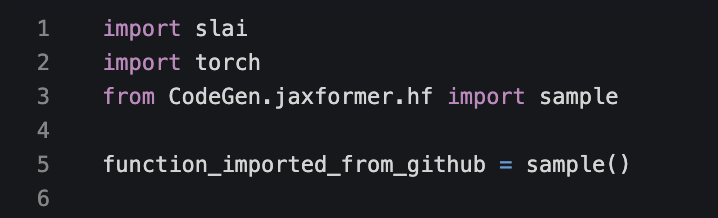
 After importing your repo, you can reference any of the modules like any ordinary Python module.
 ## Installing Custom Dependencies
You may want to use dependencies that aren't public on pip. For this use case, we recommend using the `setup.sh` script. `setup.sh` can be customized with anything that you'd `apt-get install` in a Docker container.
Select the `setup.sh` option in the config section of the sandbox.
## Installing Custom Dependencies
You may want to use dependencies that aren't public on pip. For this use case, we recommend using the `setup.sh` script. `setup.sh` can be customized with anything that you'd `apt-get install` in a Docker container.
Select the `setup.sh` option in the config section of the sandbox.
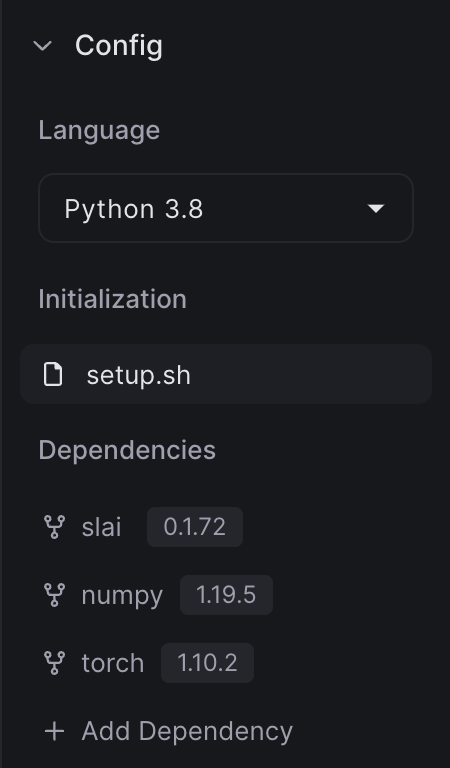 Here's an example of how you might use it: