> ## Documentation Index
> Fetch the complete documentation index at: https://docs.slai.io/llms.txt
> Use this file to discover all available pages before exploring further.
# Usage-Based Billing
Slai is serverless, so you are only charged for the compute used, down to the second. If you don't run anything, you aren't charged. There's no charge to keep a REST API running indefinitely, for example.
### Pricing
* **CPU**: \$0.10 / hour, per core
* **GPU**: \$2.05 / hour, per GPU
* **Memory**: \$0.0025 / hour, per GB
## Monitoring compute usage
You can view all the compute you've consumed for the monthly billing period in the **Plans and Billing** section of the **Settings** page.
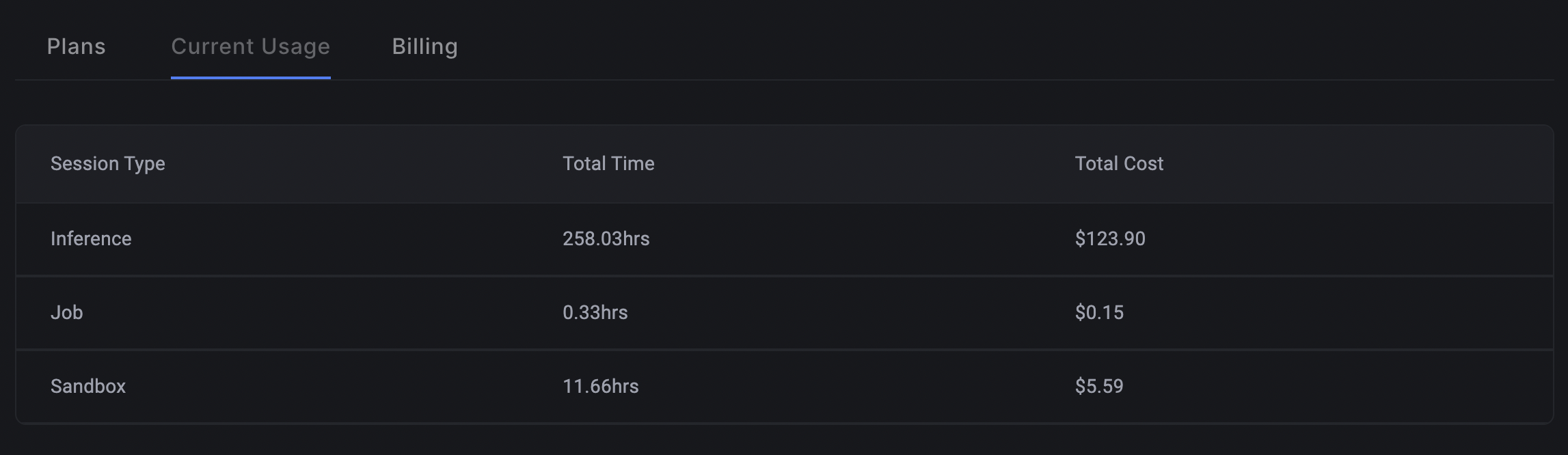 Tracking usage in the Billing panel
You'll see a table broken down by session type:
| Session Type | What it means |
| ------------ | ------------------------------------------------------------------ |
| Inference | Total hours used for inference, or calling the API on a deployment |
| Job | Total hours used for scheduled training jobs |
| Sandbox | Total hours used for running code in the sandbox |
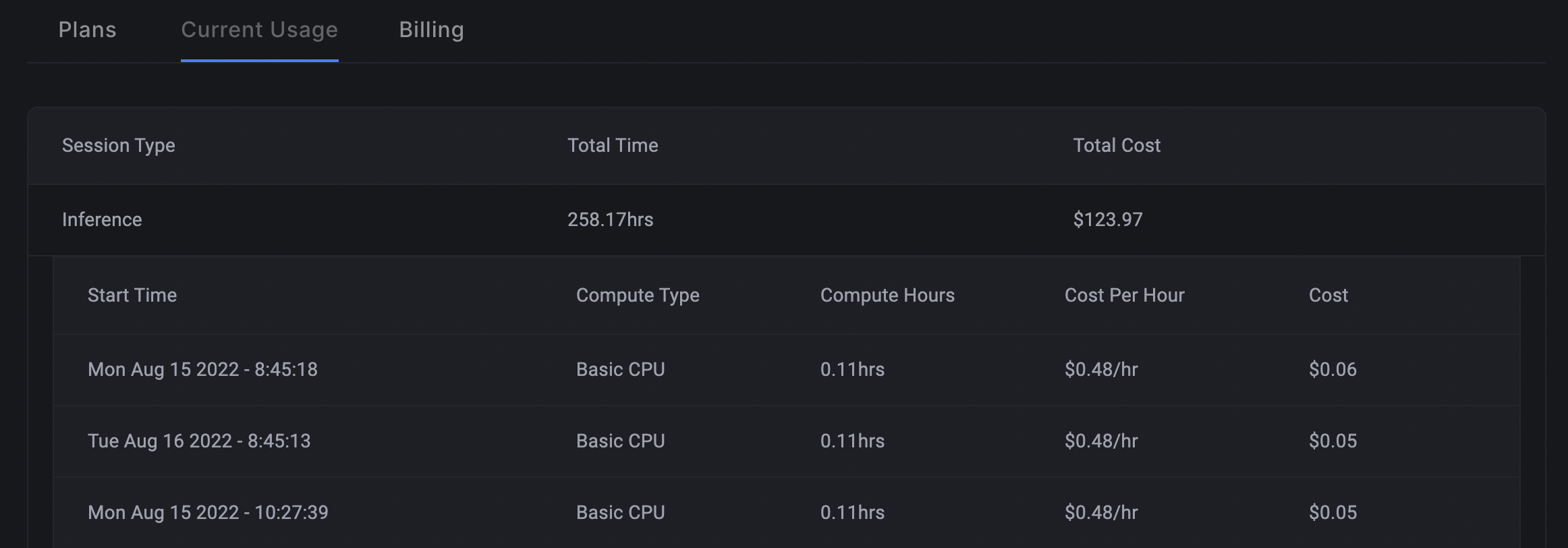
You can view a granular breakdown of the usage by clicking on a row in the table.
Tracking usage in the Billing panel
You'll see a table broken down by session type:
| Session Type | What it means |
| ------------ | ------------------------------------------------------------------ |
| Inference | Total hours used for inference, or calling the API on a deployment |
| Job | Total hours used for scheduled training jobs |
| Sandbox | Total hours used for running code in the sandbox |
You can view a granular breakdown of the usage by clicking on a row in the table.