> ## Documentation Index
> Fetch the complete documentation index at: https://docs.slai.io/llms.txt
> Use this file to discover all available pages before exploring further.
# Tracking Usage
> Slai charges usage based billing for the compute used to train and deploy your apps.
### Monitoring compute usage
You can view all the compute you've consumed for the monthly billing period in the **Plans and Billing** section of the **Settings** page.
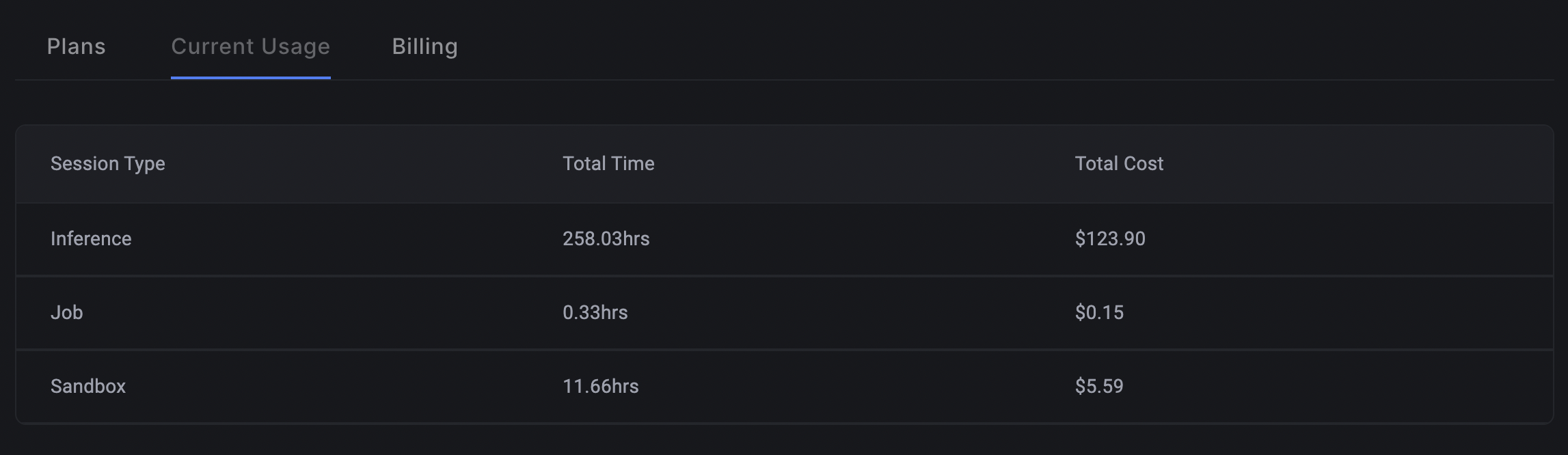 Tracking usage in the Billing panel
You'll see a table broken down by session type:
| Session Type | What it means |
| ------------ | ------------------------------------------------------------------ |
| Inference | Total hours used for inference, or calling the API on a deployment |
| Job | Total hours used for scheduled training jobs |
| Sandbox | Total hours used for running code in the sandbox |
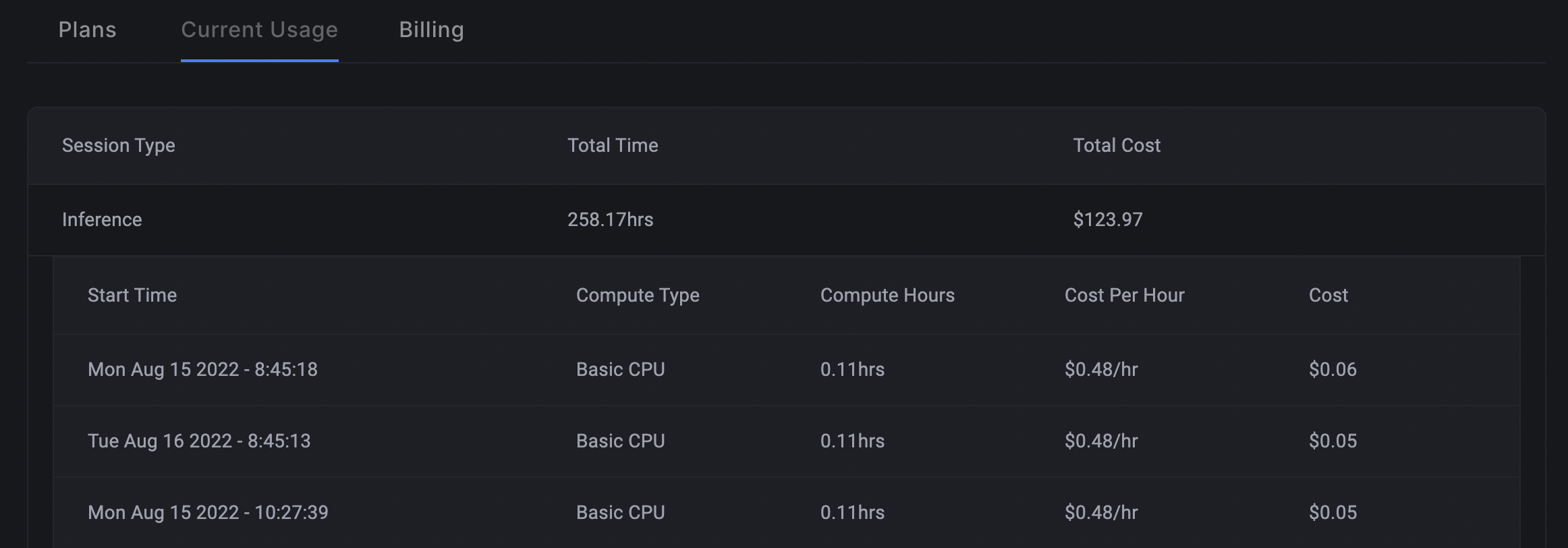
You can view a granular breakdown of the usage by clicking on a row in the table.
Tracking usage in the Billing panel
You'll see a table broken down by session type:
| Session Type | What it means |
| ------------ | ------------------------------------------------------------------ |
| Inference | Total hours used for inference, or calling the API on a deployment |
| Job | Total hours used for scheduled training jobs |
| Sandbox | Total hours used for running code in the sandbox |
You can view a granular breakdown of the usage by clicking on a row in the table.