> ## Documentation Index
> Fetch the complete documentation index at: https://docs.slai.io/llms.txt
> Use this file to discover all available pages before exploring further.
# REST API
> Deploying a Beam app as a REST API
### Deploying a REST API
Beam apps can be deployed using the `RestAPI` trigger.
Input and output fields are serialized and validated by the [`Beam.Types`](/beam/triggers/webhook#beam-types) module.
Here's an example of what
this might look like:
```python theme={null}
app.Trigger.RestAPI(
inputs={"x": beam.Types.Float(), "y": beam.Types.Float()},
outputs={"sum": beam.Types.Float()},
handler="test.py:add_numbers",
)
```
| Name | Type | Description |
| --------- | -------- | --------------------------------------------------------- |
| `inputs` | *dict* | A dictionary specifying the interface for the API |
| `outputs` | *dict* | A dictionary specifying the outputs returned from the API |
| `handler` | *string* | The function that will be run when the API is invoked |
### Calling the API
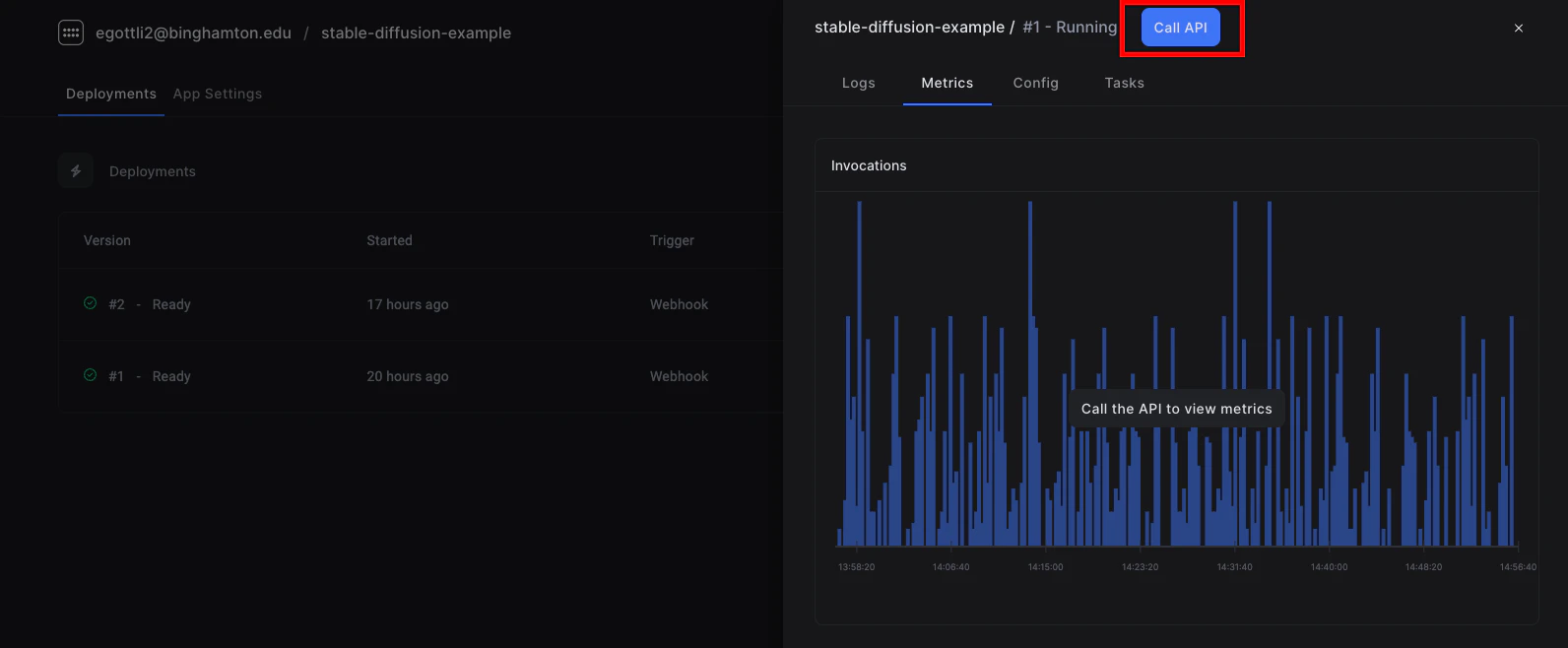
After deploying the API, you'll be able to copy a cURL request to hit the API. In your app dashboard, click **Call API**.
 ### Example Request
```curl theme={null}
curl -X POST --compressed "https://beam.slai.io/ahg0v" \
-H 'Accept: */*' \
-H 'Accept-Encoding: gzip, deflate' \
-H 'Authorization: Basic dW5kZWZpbmVkOnVuZGVmaW5lZA==' \
-H 'Connection: keep-alive' \
-H 'Content-Type: application/json' \
-d '{"prompt": "Here's my example prompt"}'
```
### Example Response
```json theme={null}
{
"result": {
"prediction": "{'POSITIVE': 0.9988627433776855, 'NEGATIVE': 0.0011372779263183475}"
},
"msg": "",
"error_msg": ""
}
```
### Beam Types
The **beam** library includes several basic data types that can be used to
validate your inputs against.
| Type | Description |
| ----------------------------------------------- | -------------------------------------------------------------------------------------------------- |
| `beam.types.Json()` | A JSON object |
| `beam.types.String(max_length=None)` | A string field, with an optional max\_length parameter |
| `beam.types.Float()` | Standard floating point value |
| `beam.types.Boolean()` | Standard boolean value |
| `beam.types.Tensor(shape=None, dtype=None)` | A torch tensor object, with optional shape and dtype parameters |
| `beam.types.Dataframe()` | A pandas dataframe object |
| `beam.types.NumpyArray(shape=None, dtype=None)` | A numpy array, with optional shape and dtype parameters |
| `beam.types.Binary()` | A binary object, for example a video file or anything that doesn't fit into the other types listed |
| `beam.types.Image(raw=False)` | A generic image, automatically serialized into a PIL object for use in the handler |
Types can be labeled optional by passing in `required=false`
`beam.types.Boolean(required=false)`
`beam.types.Dataframe(required=false)`
### Example Request
```curl theme={null}
curl -X POST --compressed "https://beam.slai.io/ahg0v" \
-H 'Accept: */*' \
-H 'Accept-Encoding: gzip, deflate' \
-H 'Authorization: Basic dW5kZWZpbmVkOnVuZGVmaW5lZA==' \
-H 'Connection: keep-alive' \
-H 'Content-Type: application/json' \
-d '{"prompt": "Here's my example prompt"}'
```
### Example Response
```json theme={null}
{
"result": {
"prediction": "{'POSITIVE': 0.9988627433776855, 'NEGATIVE': 0.0011372779263183475}"
},
"msg": "",
"error_msg": ""
}
```
### Beam Types
The **beam** library includes several basic data types that can be used to
validate your inputs against.
| Type | Description |
| ----------------------------------------------- | -------------------------------------------------------------------------------------------------- |
| `beam.types.Json()` | A JSON object |
| `beam.types.String(max_length=None)` | A string field, with an optional max\_length parameter |
| `beam.types.Float()` | Standard floating point value |
| `beam.types.Boolean()` | Standard boolean value |
| `beam.types.Tensor(shape=None, dtype=None)` | A torch tensor object, with optional shape and dtype parameters |
| `beam.types.Dataframe()` | A pandas dataframe object |
| `beam.types.NumpyArray(shape=None, dtype=None)` | A numpy array, with optional shape and dtype parameters |
| `beam.types.Binary()` | A binary object, for example a video file or anything that doesn't fit into the other types listed |
| `beam.types.Image(raw=False)` | A generic image, automatically serialized into a PIL object for use in the handler |
Types can be labeled optional by passing in `required=false`
`beam.types.Boolean(required=false)`
`beam.types.Dataframe(required=false)`