> ## Documentation Index
> Fetch the complete documentation index at: https://docs.slai.io/llms.txt
> Use this file to discover all available pages before exploring further.
# Outputs
> Read and write files from inside a Beam environment
You may want to create temporary files or directories for your Beam tasks. Beam includes **Outputs** which let you create files or directories when your function is invoked.
You can add **Output** to the same file with your `Beam.App()` definition.
Outputs are ideal for cases where you don't need to persist data between tasks.
If you'd like to persist your data between tasks (meaning you can stop a Beam task, resume it, and your data will still exist), you should use a [Persistent Volume](/beam/data/persistent-volumes) instead.
For example, if you wanted to save images generated during a function call, you could define an output like this:
```python theme={null}
app.Output.File(path="output.png", name="myimage")
```
You can also create directories, through the `Output.Dir()` method:
```python theme={null}
app.Output.Dir(path="images", name="generated_images")
```
### Accessing Outputs
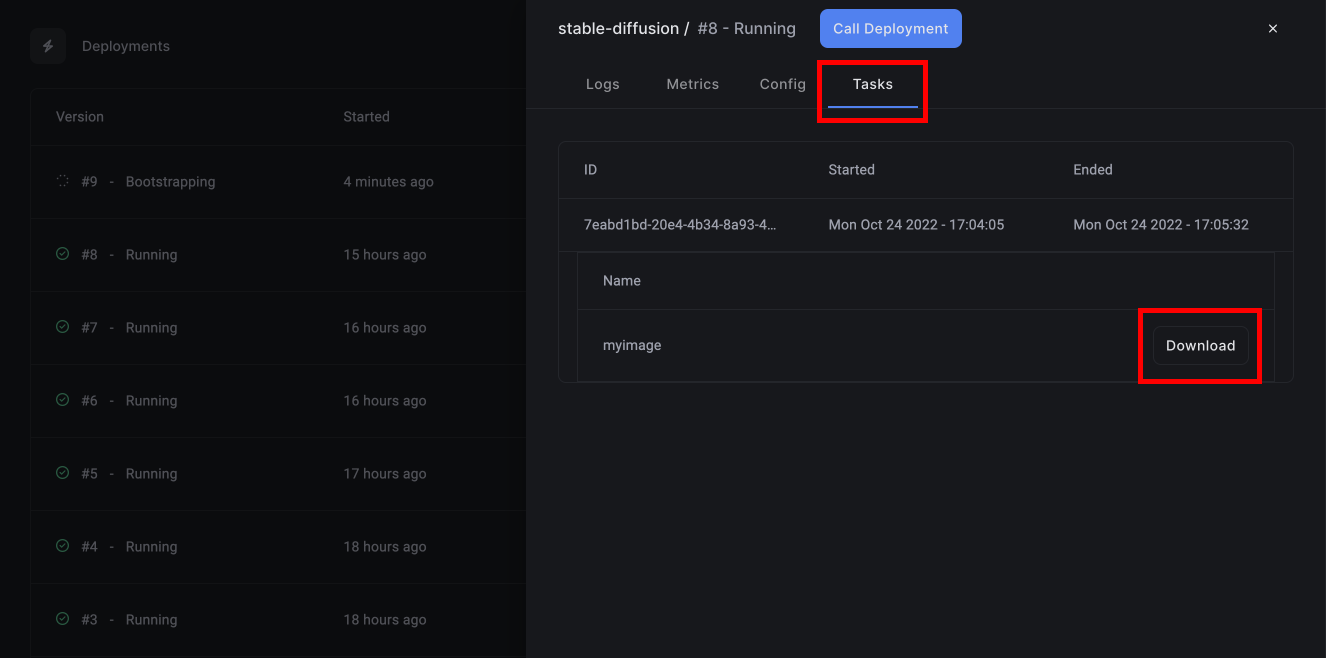
You can download files created during each function execution by logging into the dashboard, finding your deployment, and clicking on the latest task.